Jump to content
  • We are looking for staff for the Wiki area!
    If interested please
    click here and select "Documentation Team"

  • Can be downloaded from: 32Bit HERE or 64Bit HERE.

    The main website for OpenSSL is: SLProWEb.com OpenSSL download page 

    Either version 1.1.1 or version  3.x can now be used with mangos.

    Just make sure you download the full version and not the light version.

    The OpenSSL install is fairly straight forward with only a few default setting changes (one due to a bug in cmake).
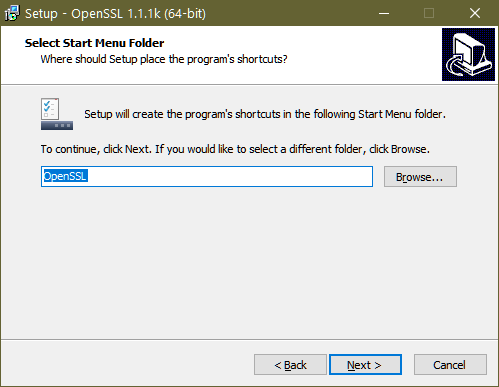
    OpenSSL1.png

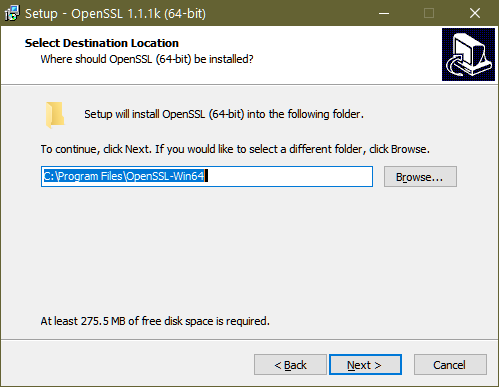
    The default folder is C:\Program Files (or C:\Program Files (x86)) as shown below, this needs to be changed.
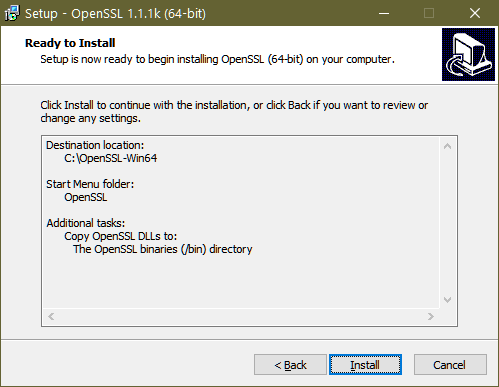
    OpenSSL2.png

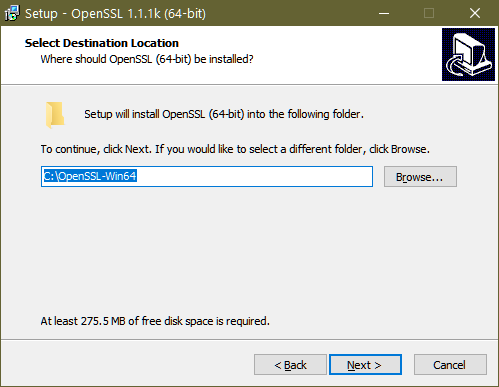
    Ensure you change the path to: C:\OpenSSL-Win32 or C:\OpenSSL-Win64
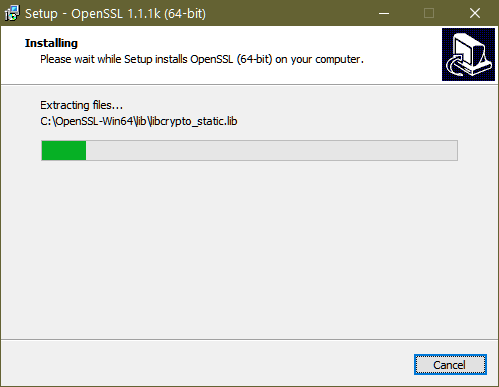
    OpenSSL3.png

    OpenSSL4.png

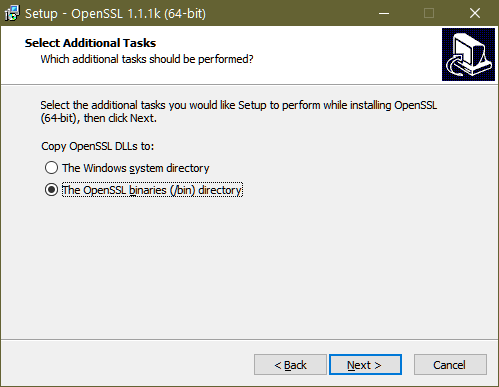
    Change the following setting to 'The OpenSSL binaries (/bin) directory)
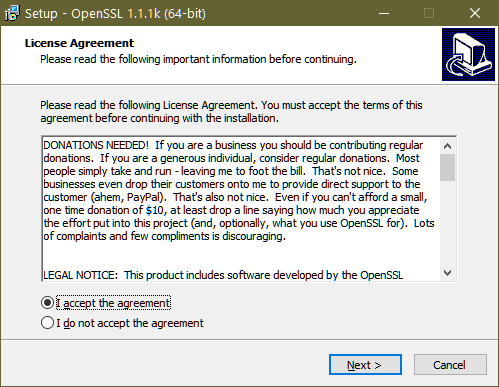
    OpenSSL5.png


    OpenSSL6.png


    OpenSSL7.png

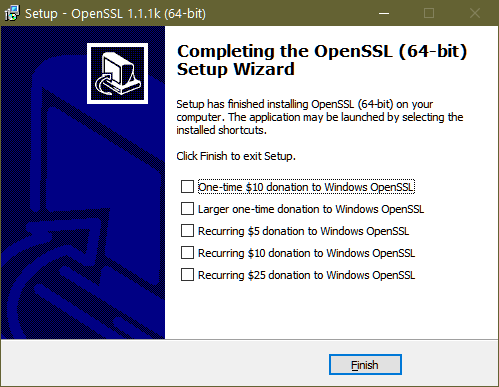
    If you want to make a donation to OpenSSL (another open source project) please tick the required box, but you are free to unselect all the boxes.
    OpenSSL8.png

    Please should complete the installation of OpenSSL


    User Feedback

    Recommended Comments

    SilverTheGamer

    Posted

    If you download precompiled Mangos libraries from github releases, is OpenSSL still required to run the server, or is it only used in compiling it?

    __

    Posted (edited)

    Any updates on installations? I can't get this to work. OpenSSL is on version 3+ and doesn't seem to work with any of these other 3rd party programs and I can't find a version 1+ download anywhere online.

    Edited by __
    antz

    Posted

    On 5/27/2025 at 4:01 PM, __ said:

    Any updates on installations? I can't get this to work. OpenSSL is on version 3+ and doesn't seem to work with any of these other 3rd party programs and I can't find a version 1+ download anywhere online.

    Modified to link to 1.1.1s

    Should you want the latest version of OpenSSL, the main website is:

    SLProWEb.com OpenSSL download page 

    Just make sure you download the full version and not the light version.

    Duracraft

    Posted

    Important step that might cause an Error in legacy.dll when using 3.6.1 OpenSSL. Ensure that you have the correct "libcrypto-3-x64.dll"

    I Used the Precompiled version from here: https://www.getmangos.eu/downloads/file/4-mangos-zero-server/

    It comes with the  "libcrypto-3-x64.dll" inside but it didnt work with my installed Verion of OpenSSL.

    Take the "libcrypto-3-x64.dll" from C:\OpenSSL-Win64 and put it into your server folder.


    Create an account or sign in to comment

    You need to be a member in order to leave a comment

    Create an account

    Sign up for a new account in our community. It's easy!

    Register a new account

    Sign in

    Already have an account? Sign in here.

    Sign In Now

×
×
  • Create New...

Important Information

We have placed cookies on your device to help make this website better. You can adjust your cookie settings, otherwise we'll assume you're okay to continue. Privacy Policy Terms of Use